Use the Dispatch Queue Tab
The Queue tab in Dispatch allows you to view all work orders that match the saved query attached to the Dispatch form. In the case of the Dispatch (MAIN) form, the "All Active WOs" query is used.
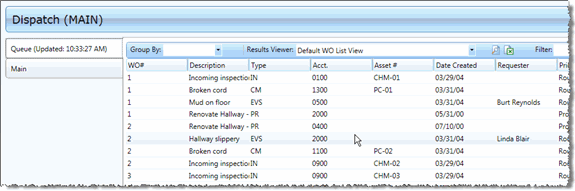
The list of work orders can be grouped or filtered in the same manner as the Query Results screens in any other module.
To edit any of the work orders you see here, you can double-click the appropriate row. The work order will open on the Main tab in Edit mode. See Create Work Orders with the Main Tab for more information.