Duplicate a Procedure
The Procedure Duplicate Wizard allows you to duplicate an existing procedure. Duplicating a procedure creates a new procedure with a unique procedure number, but copies all of the selected details from the original procedure. Once duplicated, you can edit the new procedure as needed.
To duplicate a procedure, follow these steps:
-
Locate the procedure you want to duplicate using either of the following procedures:
-
From the Modules menu, select Procedures > Edit and enter a known procedure number.
-
From the Modules menu, select Procedures > Query and search for the procedure to duplicate.
-
-
Click the Duplicate toolbar button.
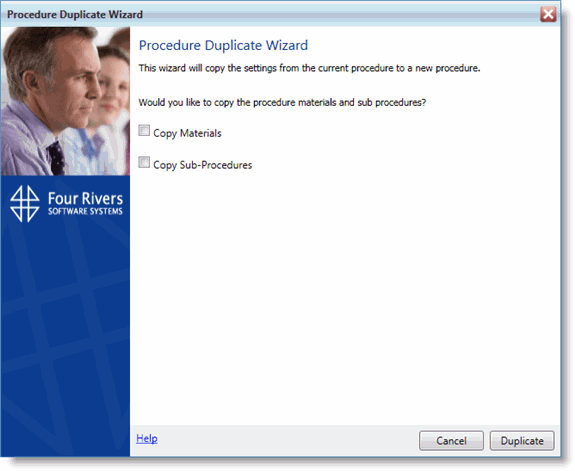
The Procedure Duplicate Wizard dialog box opens.
-
Select whether you would like to Copy Materials and/or Copy Sub Procedures from the existing procedure.
-
Click Duplicate.
A new procedure is created with a unique procedure number, but includes all of the other details you chose to copy.