Report on Refrigeration Tracking
To make refrigeration tracking in TMS most beneficial for you, we included the Stationary Refrigeration and Air-Conditioning Report in the application for your use.
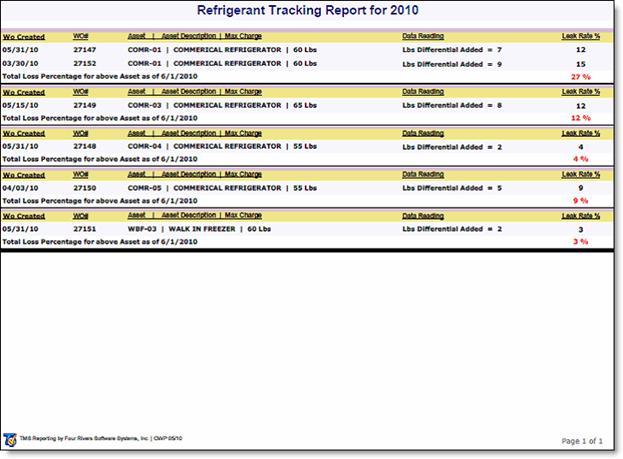
This report shows appliances (assets) that have had the specified procedure applied and a Data Reading obtained of refrigerant added. Over a year’s time (calendar year) this report will total the loss percentage rate for the appliance (asset).
You can find the report by executing a simple query in the Reporting module. To do so, follow these steps.
-
Reporting > Report Query.
-
In the Segmentfield, select System. Standard reports are stored in the System segment.
- In the Namefield, enter *refrigeration*. This will return all reports with the word “refrigeration” in the name.
-
Double click the Stationary Refrigeration and Air-Conditioning Report.
Report details
-
Type is REF.
-
The work order Date Created must be of the current calendar year.
-
Percent of Loss is calculated by (MAXIMUM CHARGE/DATA READING) and converted to a Percentage of Loss value.
-
The report sums this Percent of Loss over a calendar year event per appliance (asset) as an individual line item.
-
The content of the report can be included as an email report, and sent monthly.
-
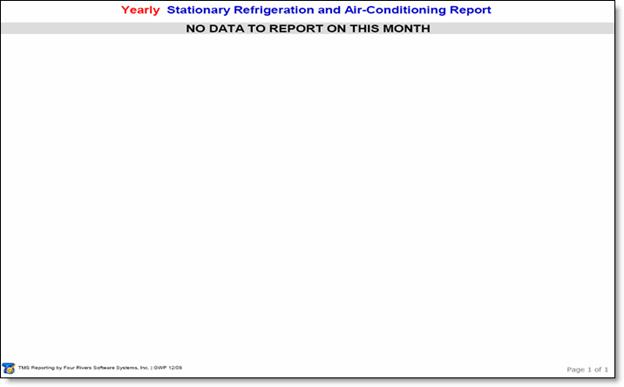
If there are no listings of Refrigerant Appliances at the time the report is run, the report states: “No data to report on this month.”
The screen shots below show the Stationary Refrigeration and Air-Conditioning Report with data and without data.