The PM Info Tab
The PM Info tab of the Asset Edit screen contains information about PM schedules that are related to your asset. You can add a new PM template. There are also multiple viewing options in the PM History area: Group By, the Results Viewer, and Filter.
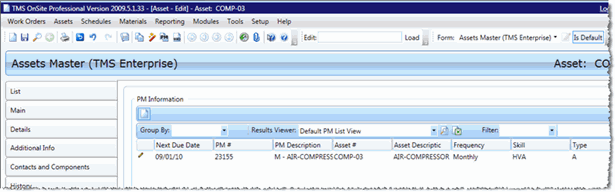
Add a PM Schedule to an Asset
To add a PM Schedule to an asset, follow these steps:
- In the PM History section, click New to open the PM New screen
- Fill in all required fields. For more information on individual fields, see the PM Schedule New topic
-
Click Save
- Close the PM New screen
- Your new PM schedule will be listed on the PM Schedule Info tab