Set Up Resource Records for Pager
We added the additional field Pager Emailto the Resource Edit screen. The Pager Email field entry is an optional field, but it is required in order for the associated resource to appear in the Resource drop-down menu on the Pager screen.
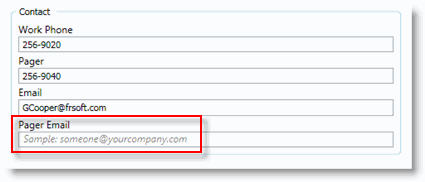
Add a Pager Email to a Resource Record
-
Create a new resource, or navigate to Modules > Resources > Query and search for the applicable resource record.
If you know the Resource Number, you can open the record directly by going to Modules > Resources > Edit.
-
In the Pager Email field on the Main tab, enter the email address for the resource that Pager should use when sending out a work order page.
-
Click Save.