RSS Feeds
An RSS feed in TMS Dashboard can be any internet feed or a TMS OnLine/OnSite discussion. Internet feeds are for viewing only and are typically setup as a quick way to keep up-to-date on important industry news. These are set up by the TMS administrator when the dashboard is created. (For information on creating and customizing dashboards, consult the TMS OnLine/OnSite System Administrator Guide.) The following is an example of how a RSS Feed would look on a dashboard.
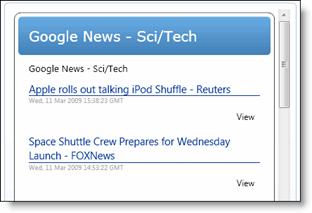
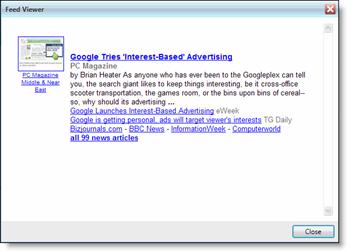
To view a post on an RSS feed, click View next to the post. The Feed Viewer window will appear.
TMS OnLine/OnSite Discussions
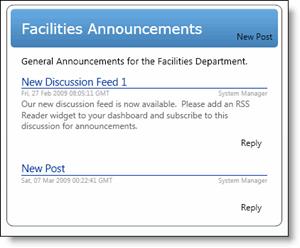
TMS OnLine/OnSite discussions are set up in the TMS OnLine/OnSite application, typically by a TMS administrator. Each discussion has permissions that determine if users can add posts or reply to posts in the discussion. If you have permission to add a post, the New Post link will be visible. If you have permission to reply to a post, the Reply link will be visible.
Add a Post
- To add a post, click New Post to open the New Post window
-
Enter the Subject
- Type in the Post Text
-
Click Post
-
Your post will now appear in the discussion
Reply to a Post
- To reply to a post, click Reply to open the New Post window
-
Type in the Subject
- Type in the Post Text
-
Click Post
-
Your reply will now appear under the original post