Set Up Contracts Module Options
The Contracts module Options screen is reached through the Setup menu (which you can access by clicking Setup > Contracts > Options). There is only one option available to be set, but it pertains to expiring contracts. If the expiration date, or Termination Date, of a particular contract is reached, you can have TMS automatically change the status to a specific code and then send an email to a specific party, such as the TMS system administrator.
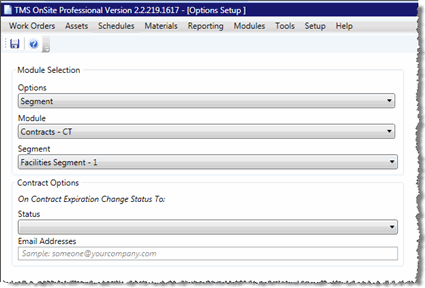
To set contract module option, follow these steps:
-
Start by going to Setup > Contracts > Options.
-
Verify the Segment shown in the Module Selection area is the correct segment.
-
Select the Status that expired contracts should be set to when the Termination Date on the contract has been reached. For example: Expired.
-
If you want TMS to automatically email an alert to a specific person or group of people, enter their email address in the Email Addresses field. Multiple addresses can be separated by semi-colons.