Work Order Query
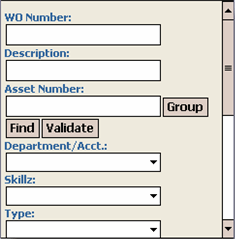
The Work Order Query screen allows you to enter multiple criteria and perform a search or query returning a list of records if more than one record is found.
To search for a work order, follow these steps:
-
On the TMS Today screen, click Work Order Query.
-
This takes you to the Work Order Query screen.
-
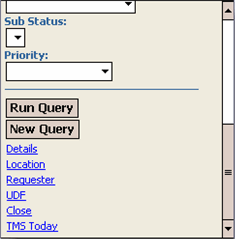
Enter your search criteria in any of the available fields on the main screen or any of the other screens (accessible via the links at the bottom of the screen).
-
Click Run Query to search or New Query to clear your criteria.
-
Your query returns all of the records that match your search criteria.
-
Click a work order link to go to the Work Order Edit screen for that work order.