Report a Problem with an Artefact
From time to time you may come across something that is not accurate with an artefact. This could be as simple as a spelling error in the title, or a drawing may not be readable. For these problems and more, you can use the Report Artefact feature to communicate problems directly to your Bucket Administrator.
The Report Artefact feature is available from the Artefact Page.
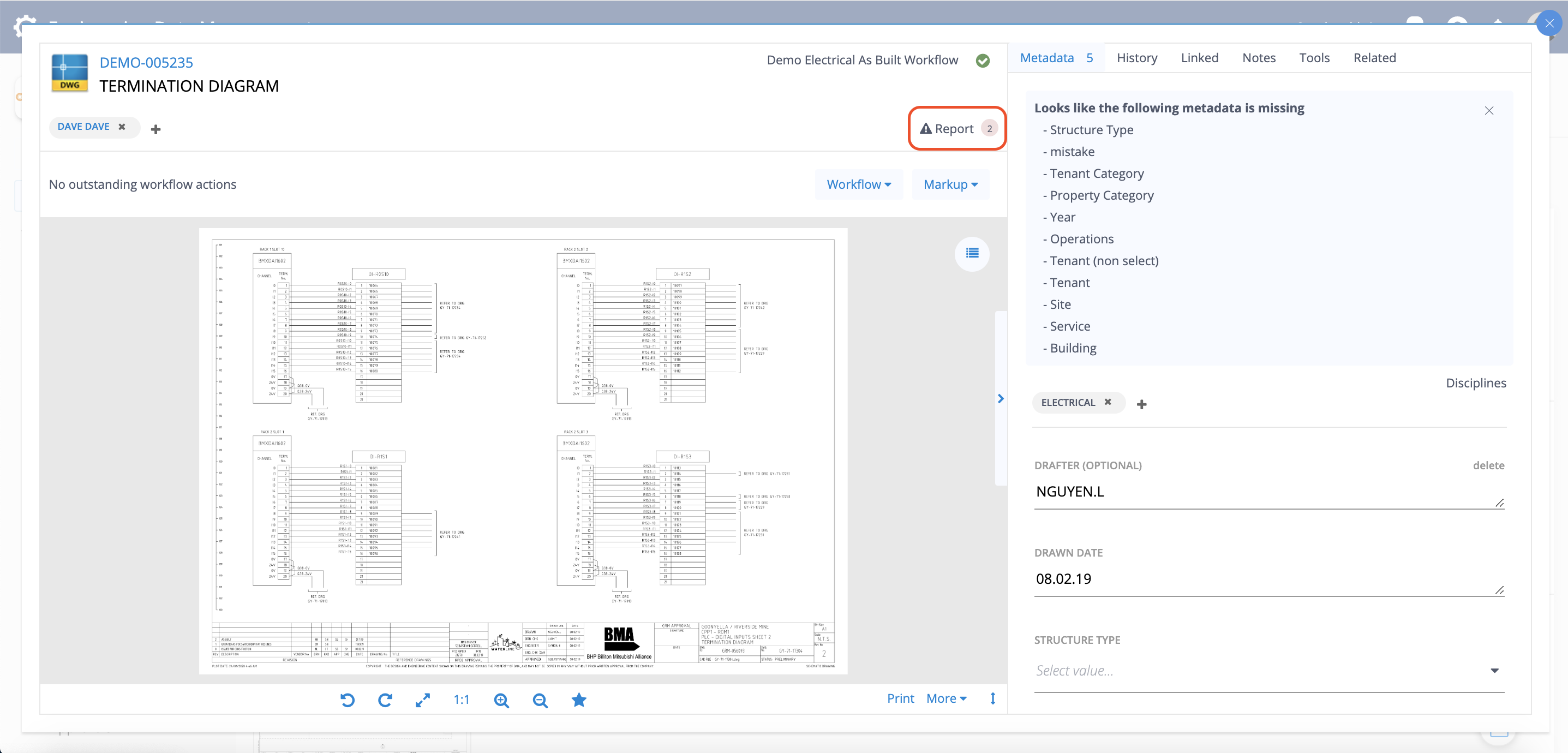
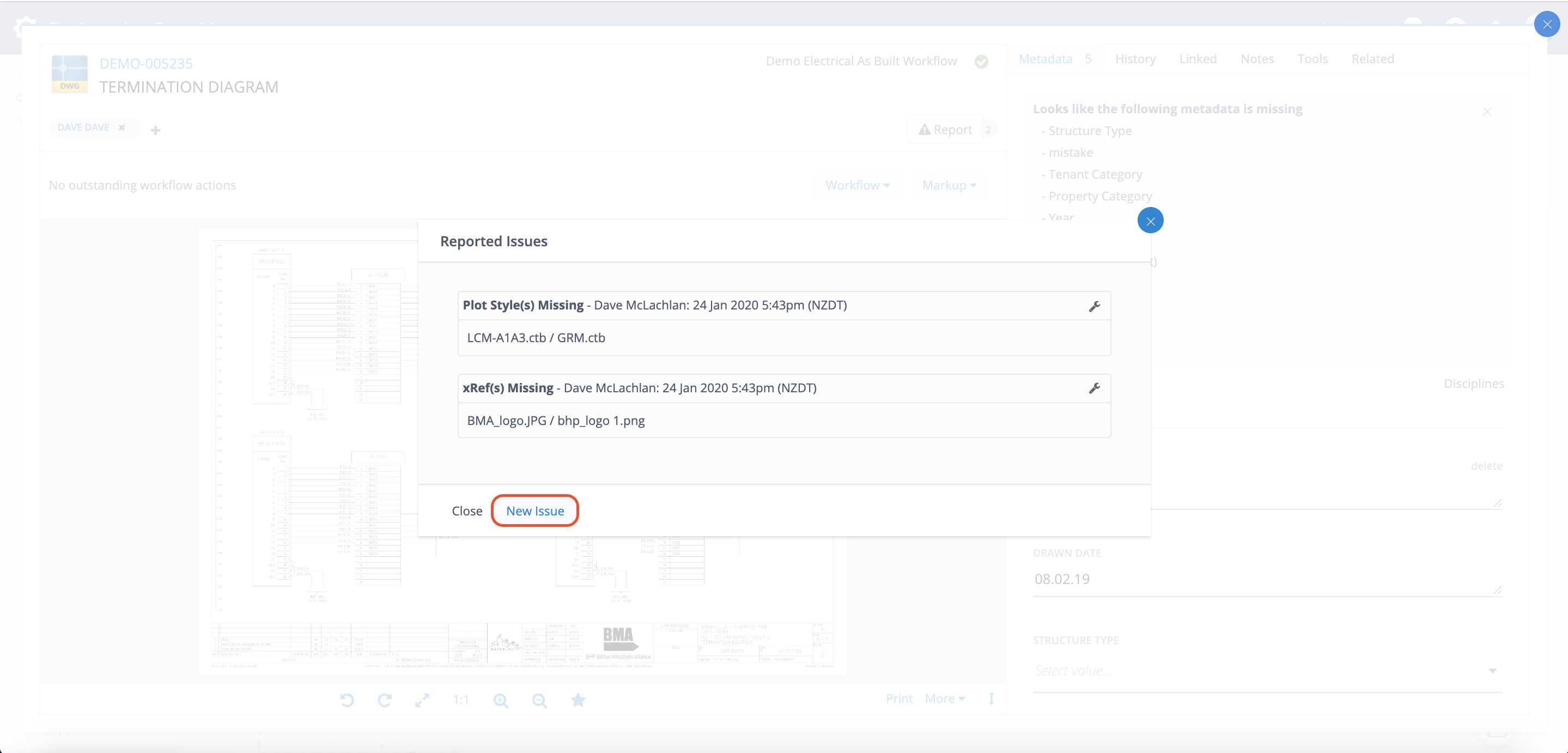
Click this button to View any existing Reported Issues. You may also click New Issue to report further issues with this Artefact.
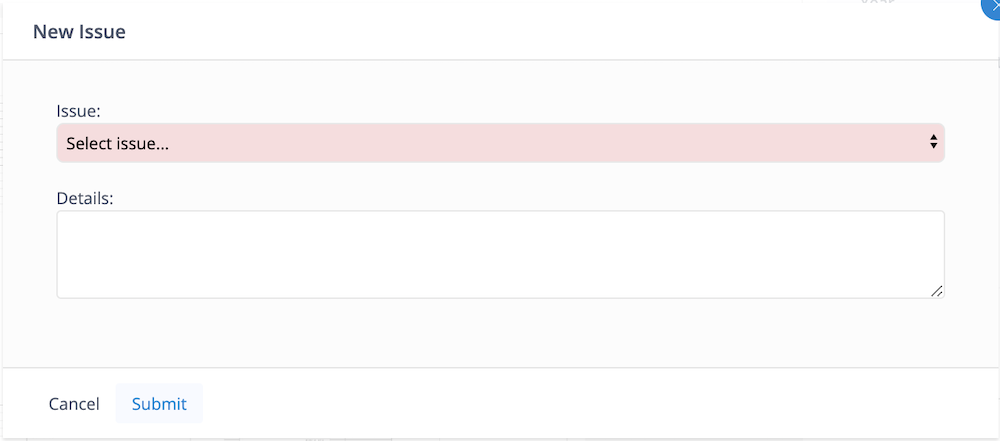
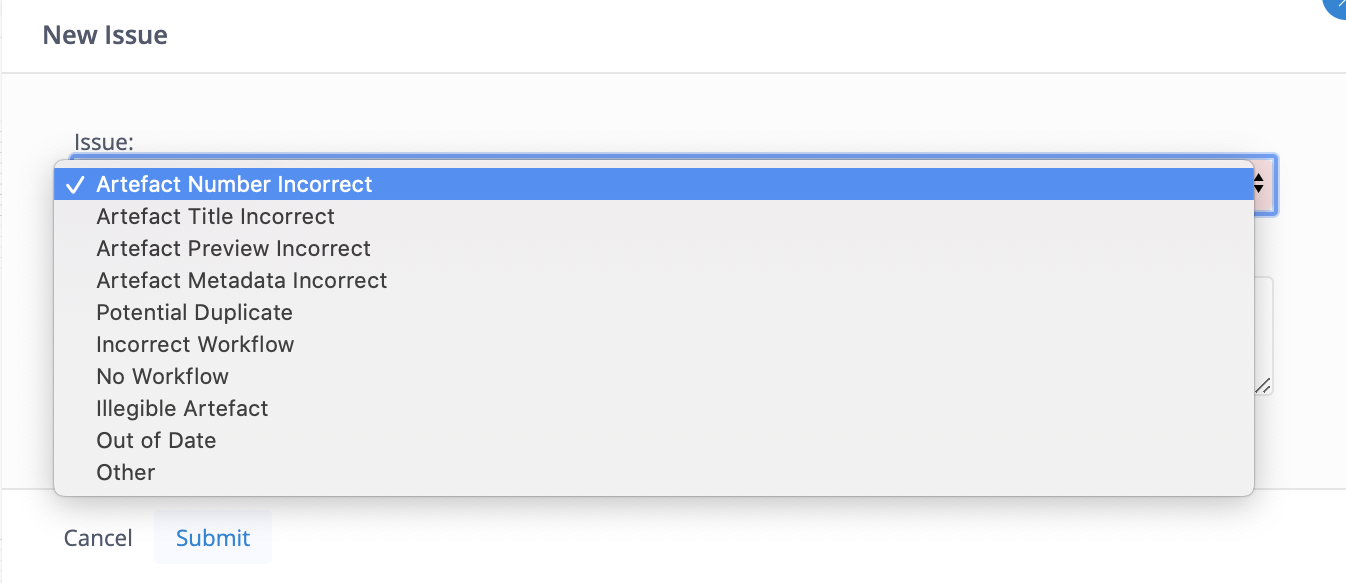
You may then select an Issue type from a drop down list of preset values, and provide further details.
Raising Issues will help other users to identify known problems with Artefacts, and will help your Bucket Administrator to resolve the problem when they review it in the Reported Artefacts Queue.
System issue types
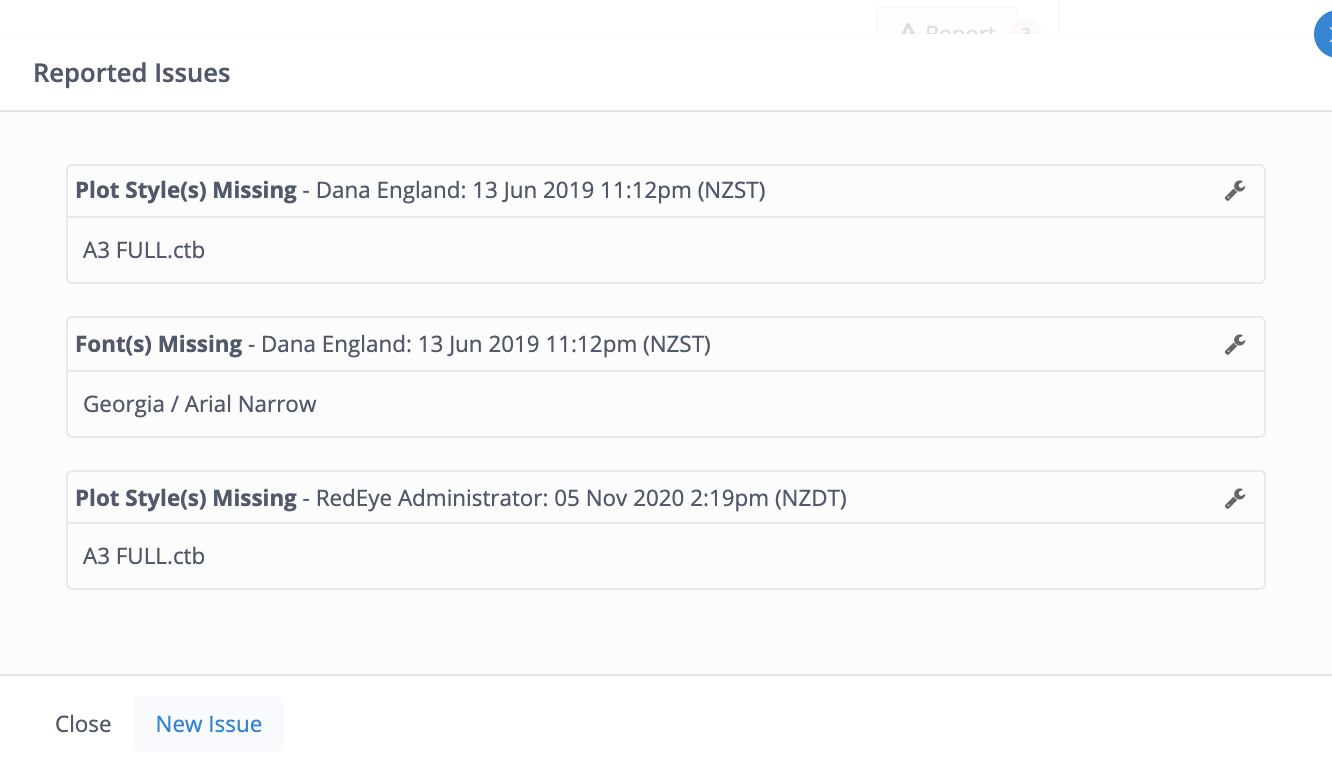
System issue types are auto-generated by DMS, usually at the point of initial upload.
There are three types that you will see if you click on the Report button in the artefact page:
| Issue Type | Meaning |
|---|---|
|
Font(s) Missing |
A font file is required by the artefact so that the drawing's preview can be rendered as intended. Contact your Bucket Administrator if you think this needs to be addressed. |
|
Plot Style(s) Missing |
A plot style file is required by the artefact so that the drawing's preview can be rendered as intended. This is usually provided to you by the drawing's drafter. Contact your Bucket Administrator if you think this needs to be addressed. |
|
xRef(s) Missing |
An External Reference file needs to be in the bucket to render previews correctly. They are usually in a CAD or image file format. These are able to be uploaded to the bucket if you have the correct permissions for your bucket. |