Customize Your Master Calendar
The theme determines the background color for calendars and section headers on pages in Master Calendar. You can also Configure Event Icons.
-
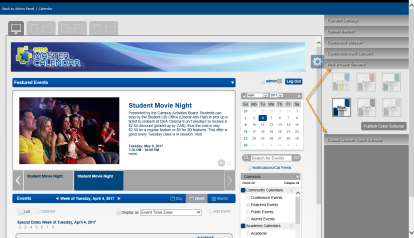
From the Admin Panel, navigate to Admin > Site Administration > Theme Roller.
Themes show in the upper left.
- Click the Settings icon on the right for a list of options to customize your application's appearance.
- Click a theme in the upper left. Use the menu on the right to customize additional visual elements of the application.
You can Pick a Color Scheme or Create Custom Color Scheme by expanding the menus on the right.
- You can upload your organization's custom site banner, which displays at the top of every page on your Master Calendar site, by expanding the Upload Banner menu.
- Click Save.