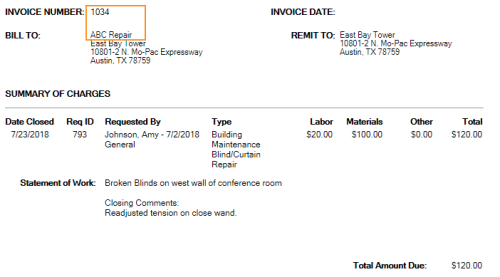
Invoice Error - No Account Specified
When running invoices, you may generate an invoice where no Invoice number is specified and "No Account Specified" is displayed, instead of the Bill To Account.
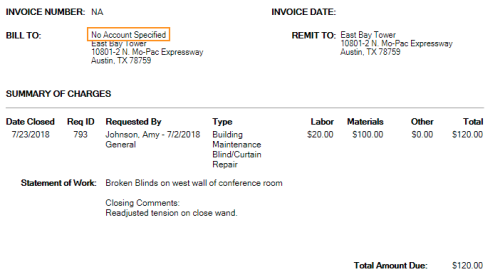
This occurs on work requests where a Charge To account is not specified when adding a material cost on the Work Order – Financial page.
To correct this problem:
- Click the Logbook link to access the Logbook module.
- Select the Find Requests tab.
- In the Request ID field, enter the ID of the request that is not being invoiced correctly.
- Click FIND.
- Click the request ID to open the Request Details page.
- Click the Work Order – Financial link.
- Locate a cost without an Account value and click the EDIT button.
- In the Charge To field, select an account.
-
Click UPDATE.
The value you selected should display in the Account column.
- Re-run the Work Order Invoicing report.
The invoice should now show an Invoice Number and a Bill To account.