Default Labor Code Not Applying
The system allows a default labor activity to be associated with a work request type and subType. When labor costs are added to a work order of the specified type/subType on the Work Order financial page, the Activity value should default to the select type.

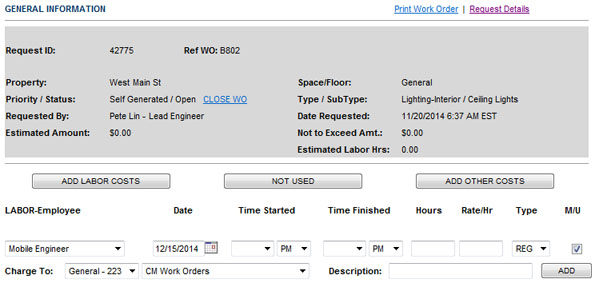
If the Activity code does not display on the Work Order Financial page, it is most likely because there is a mismatch between the default request type assigned to the labor activity code and the request type you are assigning it to.
To resolve this problem:
- Open the Administration Menu page.
-
Under the LOGBOOK ADMIN heading, click Request Types and Subtypes.
- Select the request type/subType and record the labor activity code assigned to it.
- Close the Request Types and SubTypes page.
- Under the WORK ORDER ADMIN heading, click Labor Activity Codes.
-
In the Type field, select the request type from step 3.
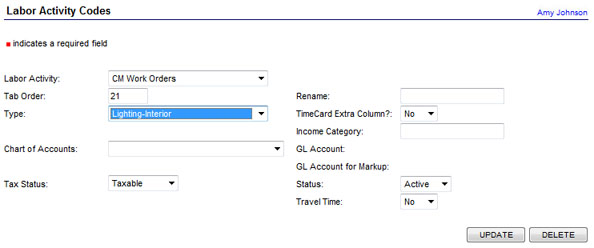
- Click UPDATE.