Company Unavailable as a Property Default Company
When a creating or editing a property, you can assign a default management company and contact to the property. The default management company/contact will be the default Assigned To user for work requests if there are no other assignment rules defined.
Problem
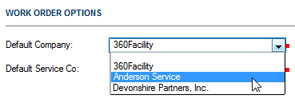
When specifying a default management company for a property on the Create Property or Edit Property page, the company you want to assign does not display in the drop-down menu, even though you know that the company exists in the system.
Solution
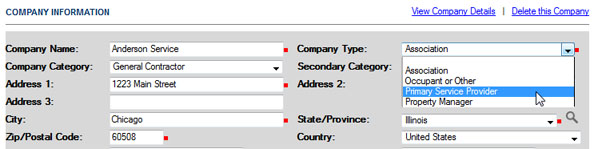
This problem may occur when the desired company has not been assigned the appropriate company type. Only companies whose company type is Property Manager or Primary Services Manager can be selected as a default management company.
To solve this problem:
-
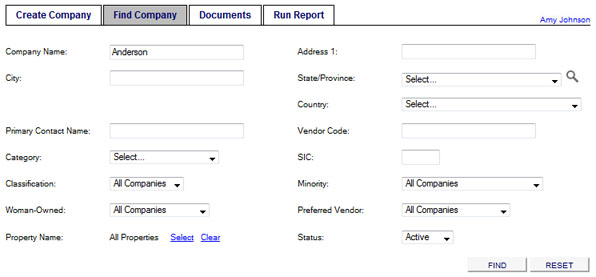
In the Company module, select the Find Company tab and enter search criteria to locate the company.
-
Click Find.
-
Click the company name in the SearchResults list.

-
On the Company Details page, click the Edit Company Details link.

-
On the Edit Company Details page, select either Primary Service Provider or Property Manager as the Company Type.
-
Click UPDATE to save your changes.
On the Edit Property page, the company is now displayed in the Default Company drop-down menu.